Creating a home office that feels both cozy and functional can make a significant difference in your work-from-home experience. Whether you are a remote employee, freelancer, or just need a dedicated space for personal projects, the right environment boosts focus and well-being. This guide offers practical tips to help you design a workspace that supports your productivity while making you feel comfortable and motivated.
Choose the Right Location
Find a Quiet Spot
Look for a space in your home that is quiet and free from distractions. If possible, select a room with a door to separate work from household noise and interruptions.
Consider Natural Light
Natural light helps improve mood and reduce eye strain. Position your desk near a window to take advantage of daylight. If this isn’t possible, invest in quality lighting that mimics natural light to keep your space bright and inviting.
Focus on Comfortable and Ergonomic Furniture
Invest in a Good Chair
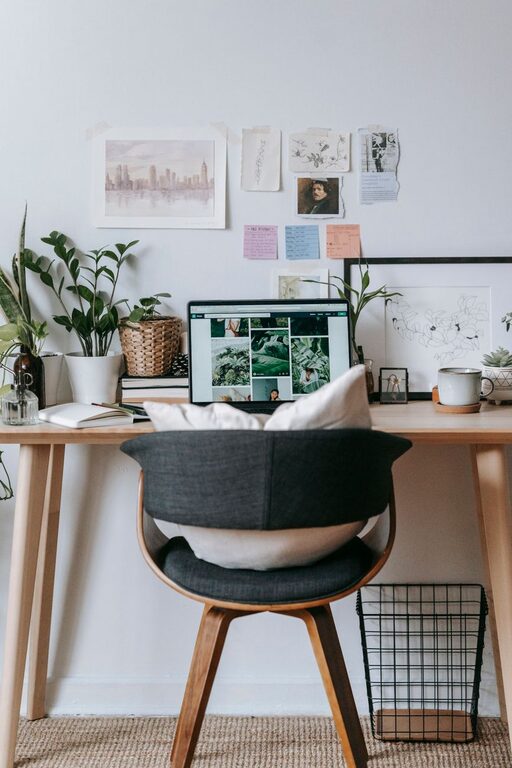
A comfortable chair with good lumbar support is essential. Spending several hours seated means prioritizing your posture and preventing back pain.
Desk Height and Size Matter
Choose a desk that fits your space and gives you enough room for your computer, paperwork, and other essentials. Adjustable desks that allow sitting or standing positions can also improve comfort and health.
Organize for Efficiency
Declutter Your Workspace
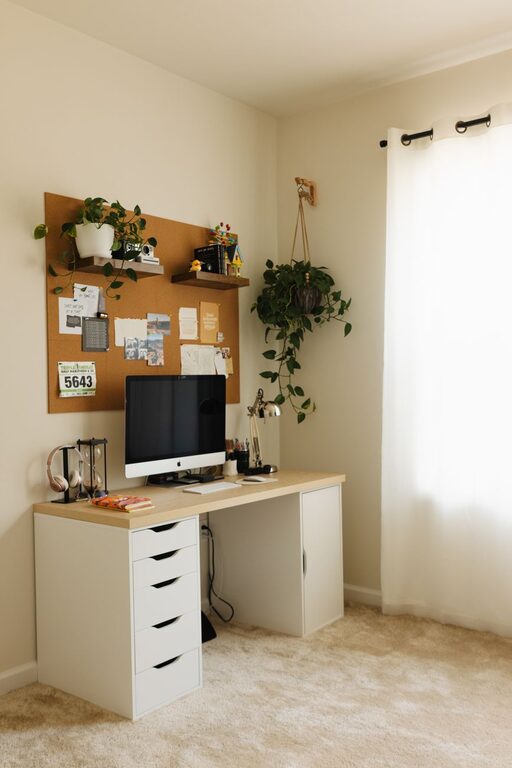
Keep only the items you regularly use on your desk. Store other supplies in nearby drawers or shelves to create a clean and organized look.
Utilize Storage Solutions
Use shelves, filing cabinets, or desk organizers to keep papers, stationery, and electronics neatly arranged. Label storage bins for easy retrieval and to maintain order.
Add Personal and Cozy Touches
Use Soft Textiles
Incorporate a comfortable rug, cushions, or a cozy throw blanket to soften the space and make it inviting.
Bring in Plants
Houseplants can improve air quality and add a touch of nature to your home office. Choose low-maintenance varieties if you don’t have a green thumb.
Decorate Thoughtfully
Add artwork, inspirational quotes, or photos that motivate you without overwhelming the space. Balance personality with calmness.
Optimize Lighting for Work
Combine Ambient and Task Lighting
Ensure your room has general ambient lighting as well as focused task lighting on your desk. Adjustable desk lamps can reduce glare and eye fatigue.
Control Screen Glare
Position your computer screen to avoid glare from windows or lights. Use anti-glare screen protectors if necessary.
Set Boundaries and Routines
Define Work Hours
Establish specific work hours to separate professional time from personal time, helping you focus when it’s time to work and relax when it’s not.
Create a “Start Work” Ritual
Develop a routine to signal the beginning of your workday, like making a cup of coffee or organizing your desk. It helps shift your mindset into a productive mode.
Keep Technology Well-Managed
Organize Cables
Use cable clips, ties, or sleeves to prevent tangled cords from cluttering your desk or floor.
Update Equipment Regularly
Ensure your computer, software, and peripherals are up-to-date to avoid frustrations and downtime.
Maintain Cleanliness
Daily Tidy-Up
Spend a few minutes each day putting items back in place to prevent mess from building up.
Regular Deep Clean
Schedule a weekly or monthly deep clean to dust surfaces, vacuum floors, and sanitize electronics.
—
Creating a cozy and functional home office doesn’t require a large budget or a dedicated room. The key lies in balancing comfort with practicality to support your unique work style. With thoughtful planning, you can transform any corner of your home into a productive and inviting workspace that inspires you every day.
About the Author